Type or paste
Bring plain text, Markdown, or a copied rich-text draft into the left pane.
Paste your draft into Text to Confluence Editor, check the preview, and copy rich text into your page. Follow the steps below to prepare plain text or Word content and fix formatting problems.
Move through one four-step loop: paste a draft, inspect the live preview, copy rich text, and publish it to your destination page.
Bring plain text, Markdown, or a copied rich-text draft into the left pane.
Check headings, tables, lists, links, and inline emphasis in the right pane.
Put the rendered HTML on your clipboard with the editor’s copy action.
Paste into the destination page and complete your normal team review.
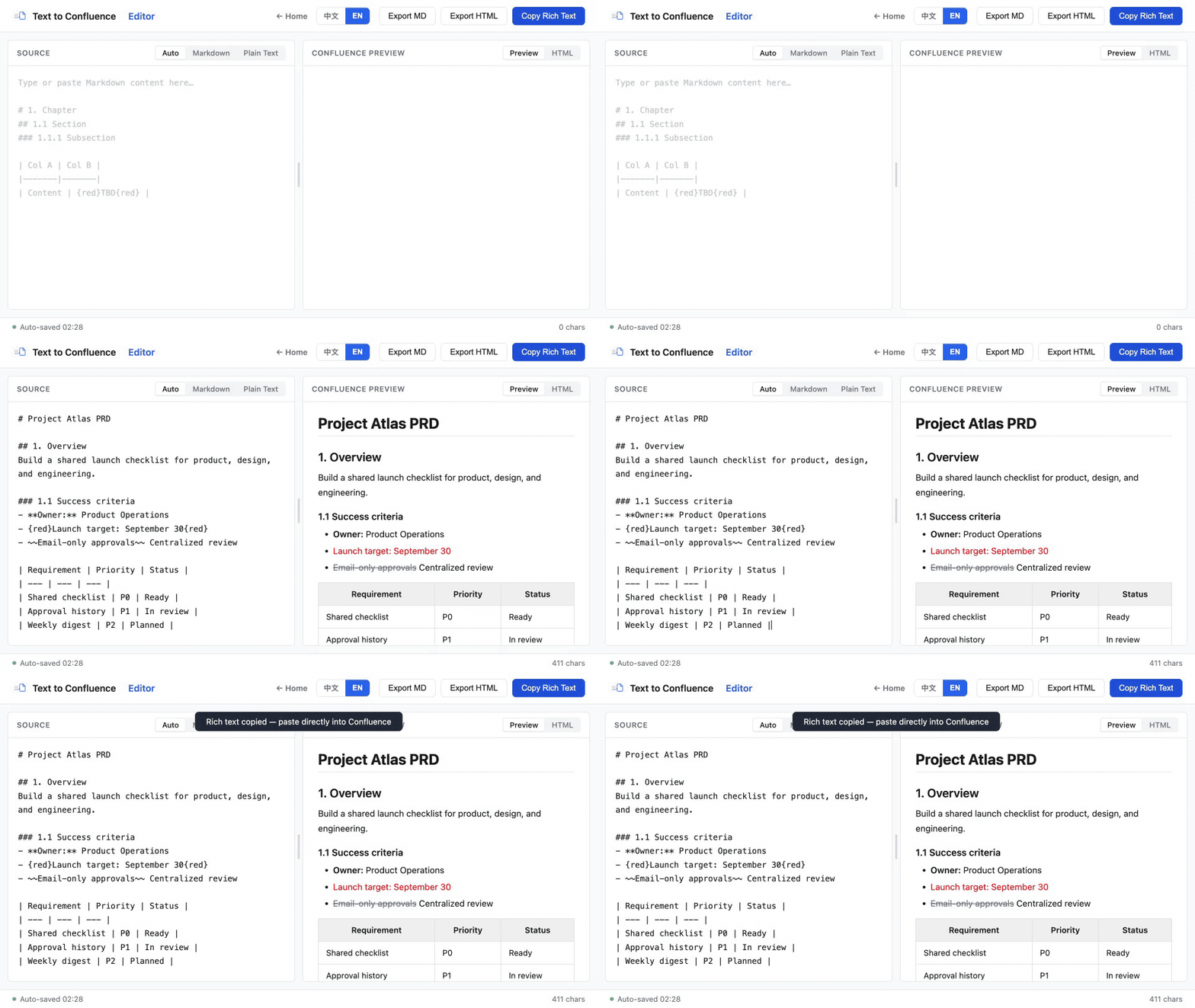
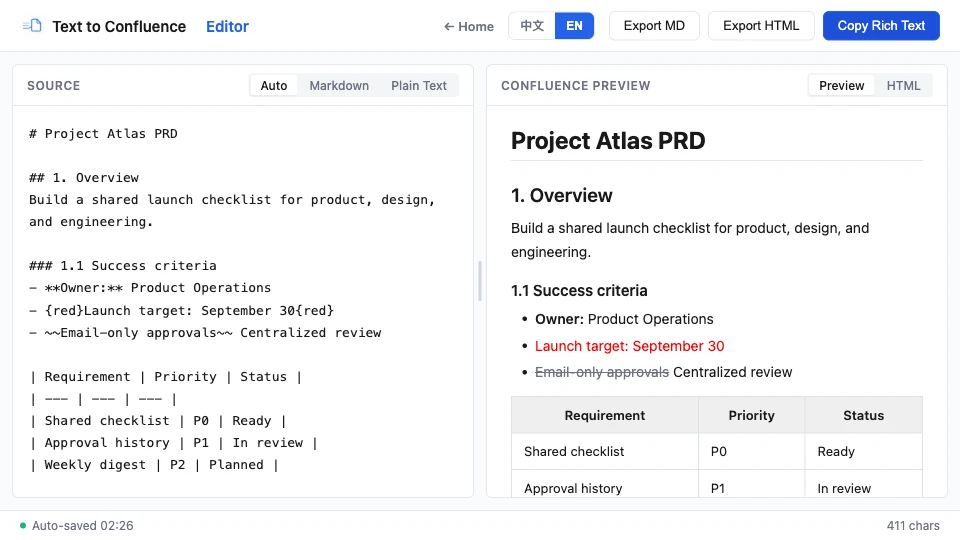
Start with a small sample: one heading, two list items and a table row. Check it before moving a whole document. Keep your original draft until you have reviewed the published page.
Plain text contains characters and line breaks, without heading or table styles. The editor infers common structures, so review every numbered section. Rich text copied from Word may contain HTML structure; the tool parses supported elements into an editable draft. Fonts, page layout and complex document features may change.
Open the document in Word or Google Docs and copy the content you need. Paste it into the left pane of the Doc to Confluence editor. This tool works with copied content; it does not accept a DOCX file upload.
Start with one section and keep table rows together when copying. Check the preview for missing cells, heading levels and list boundaries. Simplify merged cells or complex layouts in the source document if necessary, then copy the rendered rich text. Handle images and document-specific elements separately and verify them in the destination page.
Compare the original draft, this editor’s preview and the pasted Confluence page. If the preview is wrong, fix the source or input mode. If only the destination is wrong, check what you copied and where you pasted it.
| Problem | Check | Try next |
|---|---|---|
| Headings become ordinary text | Did you copy the source? | Use Copy Rich Text. Confirm the heading exists in the preview first. |
| Table columns collapse or shift | Do rows have the same cell count? | Use consistent tab-separated columns or copy the original rich-text table. Repair uneven rows. |
| Numbered items become headings | Did Auto or Plain Text infer a section? | Choose Markdown mode and check explicit list syntax in the preview. |
| List items run together | Are items on separate lines? | Give each item its own line; separate the list from surrounding paragraphs. |
| Everything pastes as plain text | Was a plain-text paste option used, or was the target a code block? | Paste copied rich text into the page body and test a small section. |
| Copy does not work | Did the browser show a clipboard error? | Retry the button or select and copy the rendered preview manually. |
For headings, strikethrough and other page formatting, read the Confluence formatting guide. Already have Markdown? Use the Markdown to Confluence Converter and its publishing checklist.
Grouped in a suggested reading order — pick whatever matches where you are today.
Understand the workspace, spaces, content types, and the difference between Confluence and Jira.
See how product, engineering, IT, HR, and business teams turn shared work into durable knowledge.
Apply headings, bold, italics, strikethrough, colors and tables, then check common paste issues.
Apply background highlights, distinguish them from text color, and keep important content accessible.
Compare plain-text paste, editor shortcuts and a preview-and-copy workflow for Markdown drafts.
Learn supported structures, table patterns, preview checks, and privacy considerations.
Copy a product requirements document template with acceptance criteria, scope, risks, and a publishing checklist.
Use a practical preparation, preview, copy, and review process for recurring product documents.
The workflow relies on documented Confluence formatting conventions and standard browser storage and clipboard capabilities.
| Capability | Included |
|---|---|
| Input modes | Auto, Markdown, Plain Text |
| Workflow steps | Paste, preview, copy, publish |
| Exports | HTML and Markdown |
Published · Last reviewed · By Makerming
将草稿粘贴到 Text to Confluence Editor,检查预览,再把富文本复制到目标页面。下面介绍纯文本和 Word 内容的准备步骤及格式问题排查方法。
按四步完成:粘贴草稿、检查实时预览、复制富文本,然后发布到目标页面。
把纯文本、Markdown 或从知识库复制的富文本放入左侧输入区。
在右侧检查标题、表格、列表、链接和行内强调。
使用复制操作,把渲染后的 HTML 写入剪贴板。
粘贴到目标页面,再完成团队常规审核。
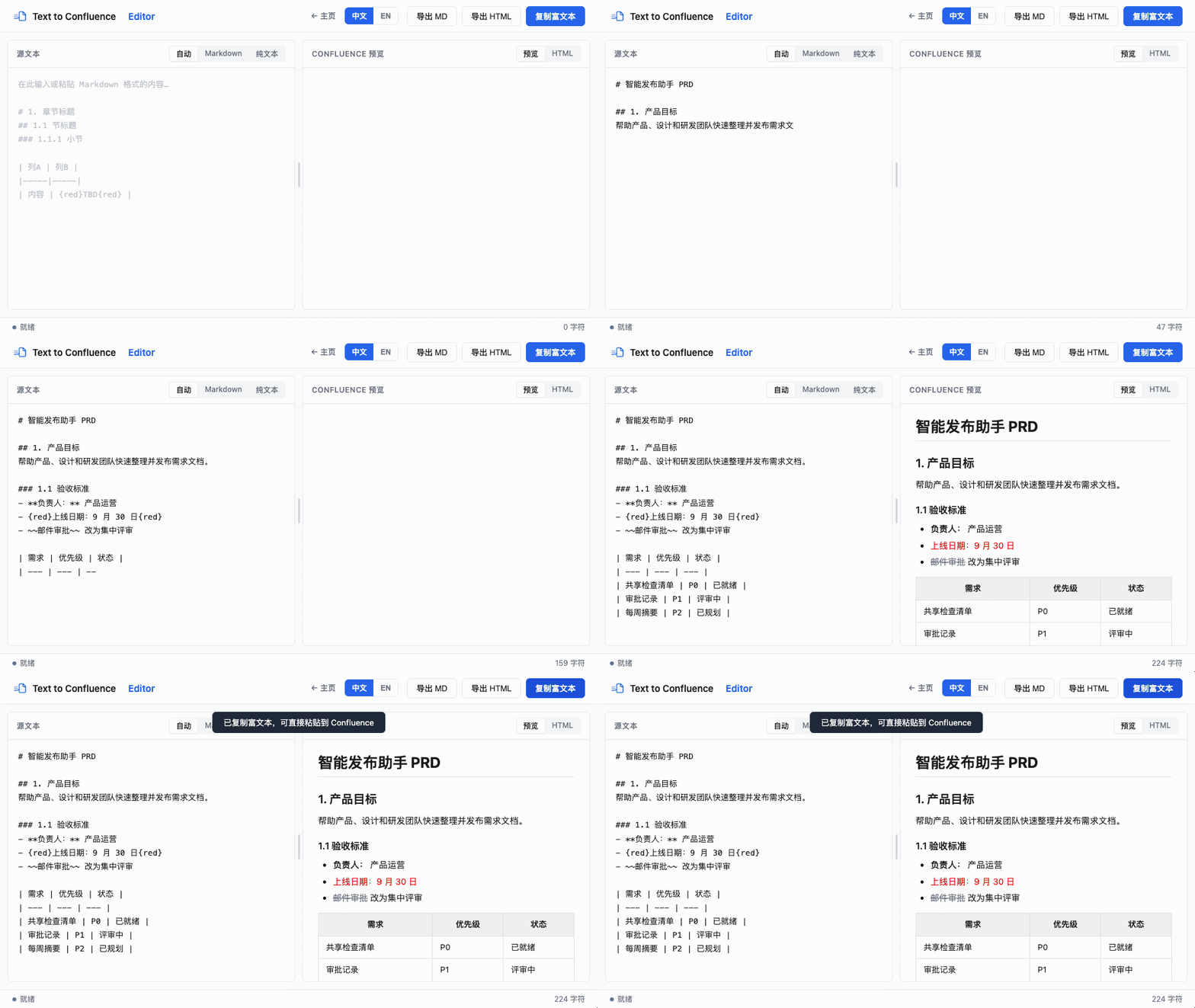
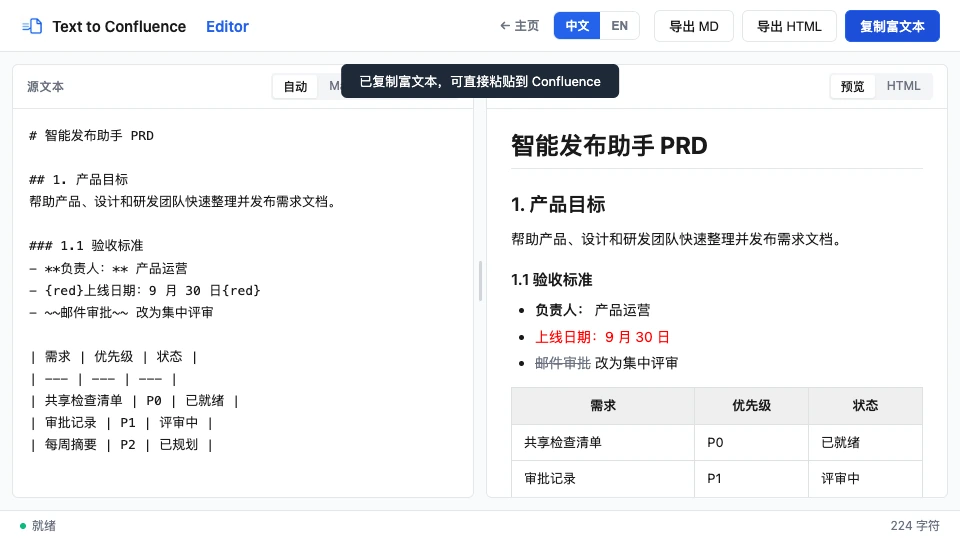
先用一个标题、两个列表项和一行表格测试,确认格式后再处理整篇文档。在检查发布结果之前,保留原始草稿。
纯文本只有字符和换行,本身没有标题或表格样式。编辑器会推断常见结构,因此应核对编号条目的识别结果。从 Word 复制的富文本可能带有 HTML 结构,工具会将支持的元素解析为可编辑草稿。字体、页面布局和复杂文档元素可能发生变化。
先在 Word 或 Google Docs 中打开文档,复制需要的内容,再粘贴到文档转 Confluence 编辑器左侧。本工具处理复制过来的内容,目前不支持直接上传 DOCX 文件。
从一个章节开始,复制表格时保留完整行。检查预览中是否有缺失单元格、标题层级变化或列表边界错误。必要时先在原文档中简化合并单元格或复杂布局,再复制富文本结果。图片和文档特有元素需另行处理,并在目标页确认。
依次对比原始草稿、编辑器预览和 Confluence 中的粘贴结果。预览已经有误时,先修正源内容或输入模式;只有目标页异常时,检查复制对象和粘贴位置。
| 问题 | 检查位置 | 处理方法 |
|---|---|---|
| 标题变成普通文字 | 是否复制了左侧源文本? | 使用“复制富文本”,先确认预览中标题正确。 |
| 表格列合并或错位 | 各行单元格数量是否相同? | 保持制表符分列一致,或复制原始富文本表格,修正不齐的行。 |
| 编号列表变成标题 | 是否推断为章节编号? | 切换到 Markdown 模式,明确列表结构并检查预览。 |
| 列表项连成一段 | 每个条目是否独立换行? | 每项独占一行,并与前后段落留出空行。 |
| 全部变成纯文本 | 是否用了纯文本粘贴,或粘贴到代码块? | 复制富文本后粘贴到页面正文,先测试一小段。 |
| 复制没有成功 | 浏览器是否提示剪贴板错误? | 重试复制按钮,或手动选中右侧预览并复制。 |
调整标题、删除线等格式时,阅读Confluence 文本排版指南。已有 Markdown 草稿时,使用Markdown 转 Confluence 工具及其发布检查清单。
按推荐阅读顺序分组——从与你当前最相关的一篇开始即可。
了解工作区、空间、内容类型,以及 Confluence 与 Jira 的区别。
了解产品、研发、IT、HR 和业务团队如何把协作内容沉淀为长期知识。
了解纯文本粘贴、编辑器快捷方式及 Markdown 草稿的预览复制流程。
了解支持的结构、表格写法、预览检查和隐私注意事项。
为日常产品文档建立准备、预览、复制和复查流程。
这套流程基于 Confluence 已公开的格式规则,以及浏览器标准的存储和剪贴板能力。
| 能力 | 包含内容 |
|---|---|
| 输入模式 | 自动、Markdown、纯文本 |
| 流程步骤 | 粘贴、预览、复制、发布 |
| 导出格式 | HTML 和 Markdown |
发布于 · 最近复核 · 作者 Makerming