Why I Built an Offline Markdown to Confluence Converter

As a product manager, I built Text to Confluence to solve a problem I kept facing myself: moving AI-generated Markdown PRDs into Confluence without broken tables, lost formatting, or uploading confidential product documents to a server.

The workflow that exposed the problem

Writing and iterating on product requirement documents is one of my core responsibilities as a product manager. Today, I often use large language models to clarify requirements, organize a document, and quickly produce a standardized PRD in Markdown. My team, however, stores and collaborates on every product requirement and iteration plan in Confluence.

That gap between drafting and publishing became a recurring bottleneck. When I copied a Markdown document directly into Confluence, the layout would often break: tables stopped working, formatting disappeared, heading levels became inconsistent, and lists lost their structure. Fixing the result by hand meant repeatedly adjusting the same details instead of improving the product itself.

Why I decided to build my own tool

I could not find a lightweight tool that fit a real team workflow while also keeping document data off remote servers. The options available either required manual cleanup, handled only one direction, or introduced an upload step that was inappropriate for confidential PRDs.

So I built Text to Confluence Editor: a browser-based, offline Markdown and Confluence conversion tool designed specifically for drafting, revising, and publishing product documents. Its purpose is simple—remove the incompatibility between Markdown and Confluence without adding another complicated system to the workflow.

1. Real-time editing and fast export

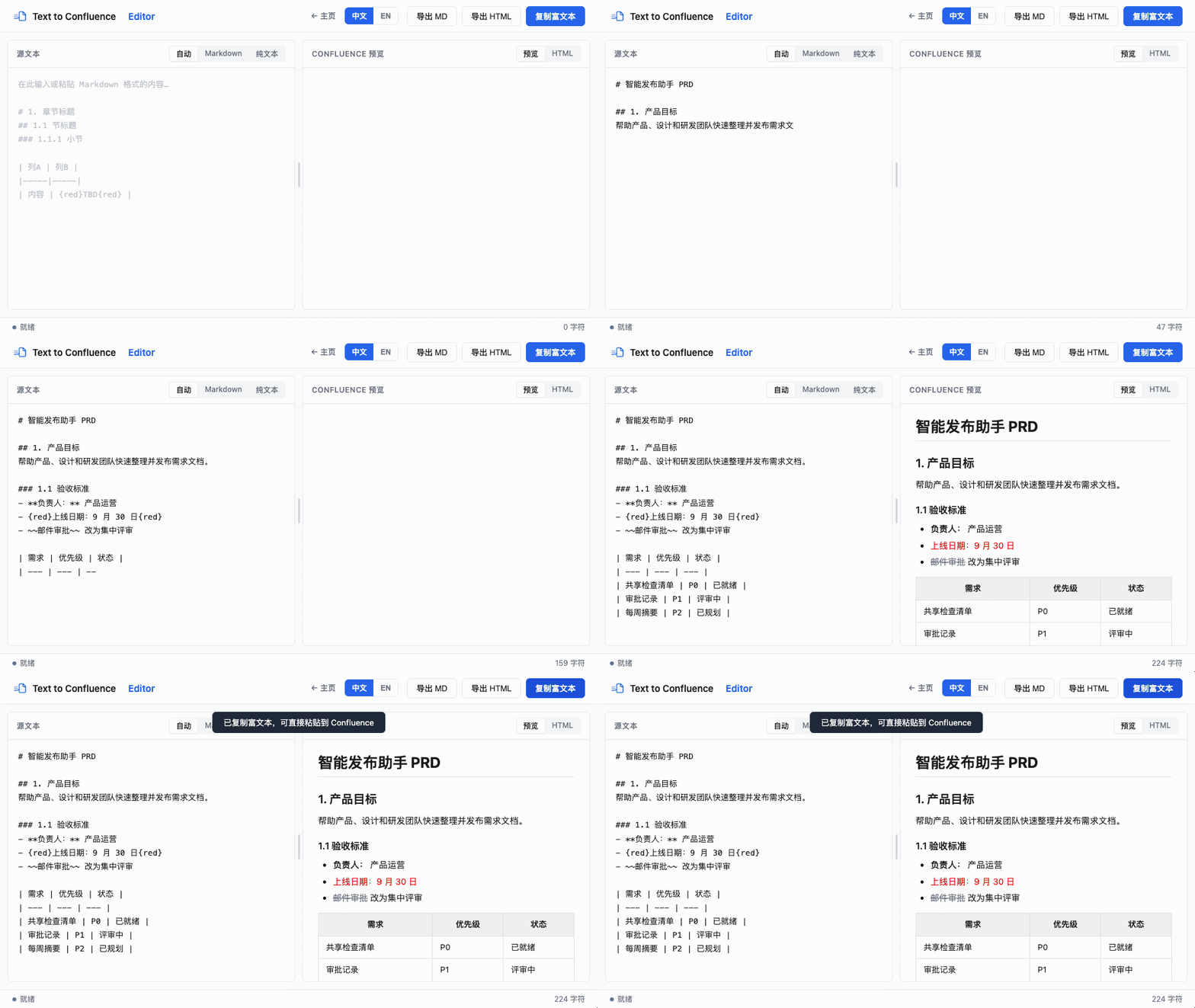
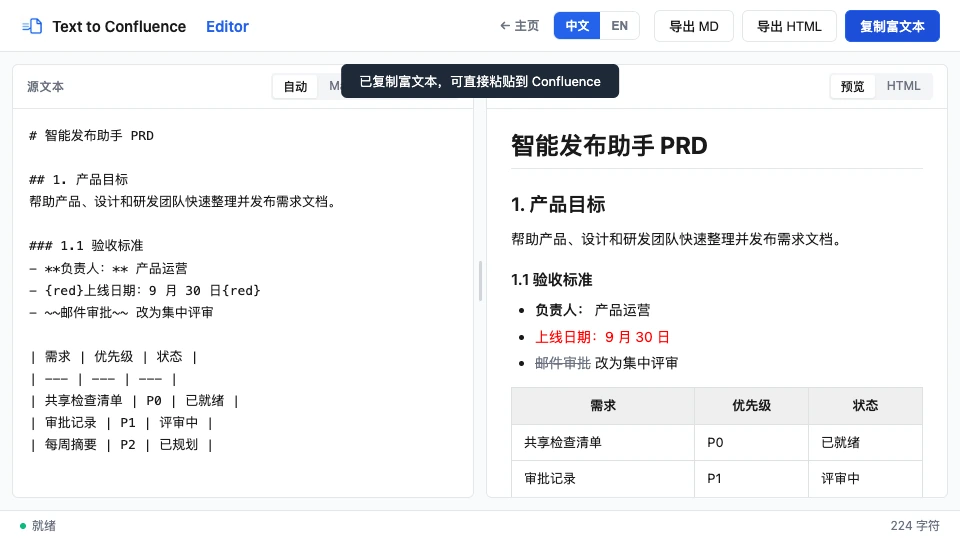
The left panel accepts Markdown generated by an AI assistant or written by hand. The right panel immediately shows the formatted result, so I can catch a broken table or heading before anything reaches Confluence.

Once the document looks right, I can convert it, copy the rendered result, or export a local file in one step. This removes the slow cycle of pasting, repairing the page, and trying again.

2. Bidirectional Markdown and Confluence conversion

The workflow does not stop after publishing. The tool converts a clean Markdown draft into rich text that Confluence can accept, but it can also take content edited in Confluence and turn it back into concise Markdown that an AI model can understand accurately.

That reverse path matters. It means a PRD can move from AI drafting to team review in Confluence and back to AI-assisted editing without rebuilding the document from scratch.

3. Preserve important formatting during PRD revisions

Product requirements change frequently. A finalized Confluence page may contain red text, bold emphasis, or highlights that explain exactly what changed. When the next iteration begins, those signals should not disappear.

Text to Confluence is designed to preserve as much of that meaningful formatting as possible when content moves from Confluence to an AI editor and back again. The goal is not only visual fidelity; it is continuity across product decisions and versions.

4. Everything runs locally in your browser

PRDs can contain unreleased plans, customer information, business rules, and internal decisions. For that reason, conversion, editing, and export all run locally in the browser. The document does not need to be uploaded to a cloud conversion service.

Privacy by design: your document stays on your device during the conversion workflow. This makes the tool practical for sensitive product work, not just public notes.

Expanding from Markdown to document conversion

After more people used the tool and shared feedback, one request appeared repeatedly: teams also needed to move existing document files into Confluence. I therefore added document conversion, allowing DOC content to be transformed into rich text that can be used directly in Confluence.

This expanded the tool beyond AI-generated Markdown and made it useful for migrating older specifications, proposals, and product documents as well.

Why I am sharing it for free

Text to Confluence focuses on four things: efficient conversion, faithful formatting, offline privacy, and a practical round trip between Markdown and Confluence. Together, they solve the awkward last mile between generating a PRD with AI and publishing it for a team.

I have made the tool freely available for other product managers and Confluence or Markdown users who are tired of fighting document formatting. I would genuinely like to hear how it works in real workflows, because that feedback will shape what I improve next.

A Markdown PRD pasted into Text to Confluence and rendered as a polished Confluence page.A formatted PRD ready to paste into Confluence.

Try the workflow with your own document

Paste a Markdown PRD, review the formatted result, and copy it into Confluence. No account, installation, or document upload is required.

Try Text to Confluence →