Convert source content without reformatting by hand
Learn the four-step workflow, supported structures, table patterns, and privacy model.
Read the publishing guide →Doc to Confluence Editor — convert doc/docx/Word content to Confluence pages easily
A doc-to-Confluence editor built for product managers. Copy your document content from Word or Google Docs, paste it on the left, see Confluence-formatted output rendered live on the right, then copy and paste it back to your wiki — grey table headers, red highlights, and heading levels all preserved perfectly.
From rough draft to published Confluence page in under a minute.
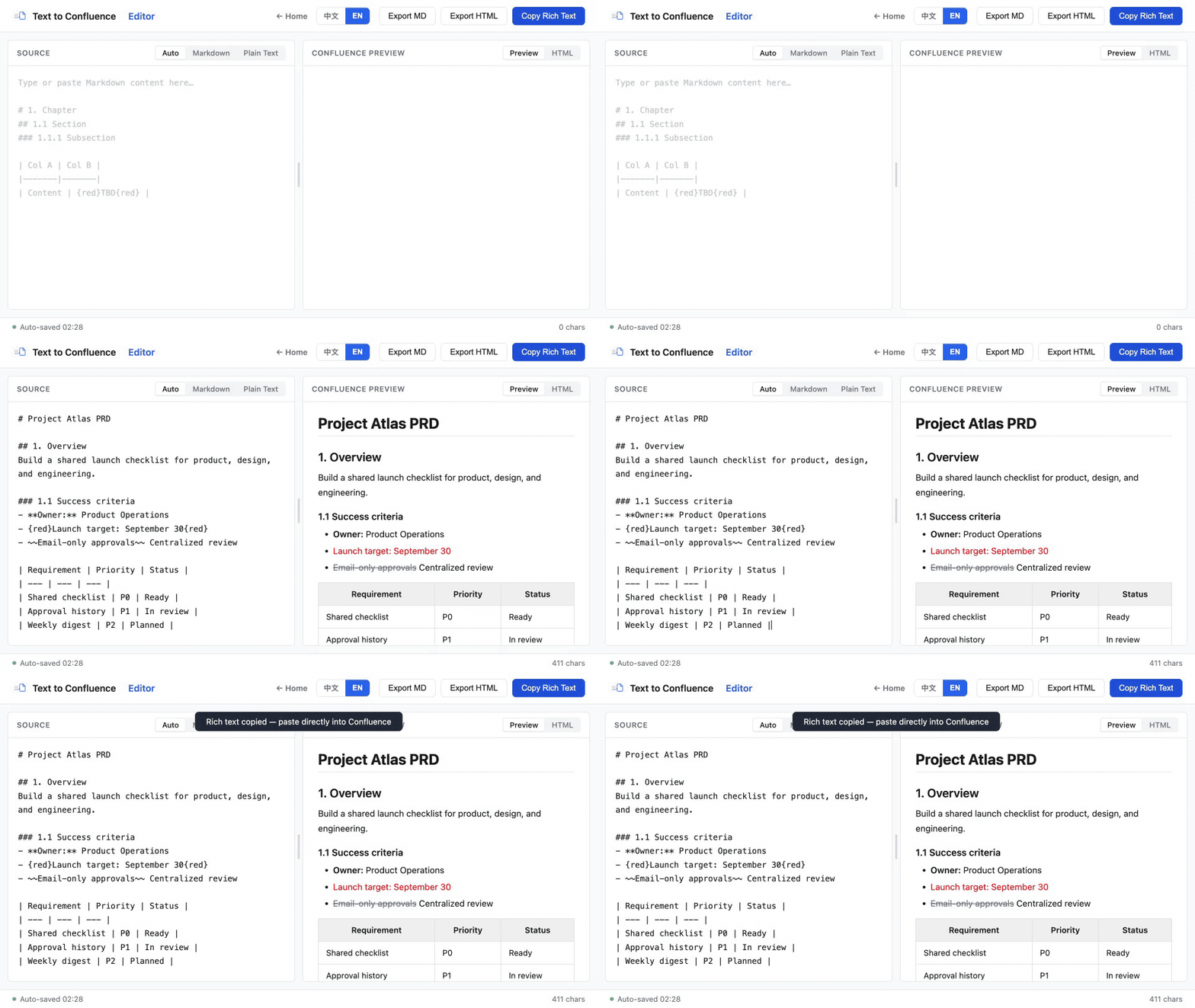
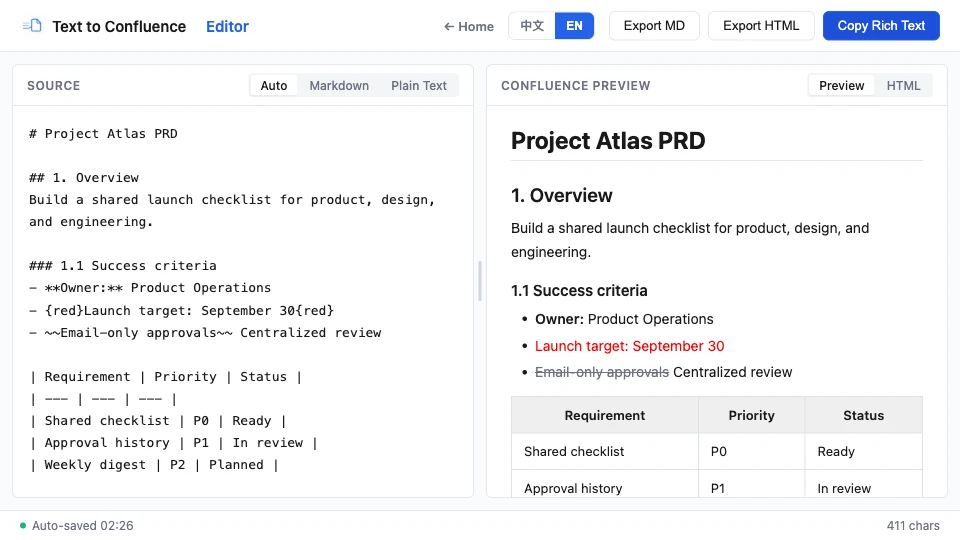
Copy your document content (Word / Google Docs / plain text) and paste it on the left — even rich text copied from Confluence.
The right pane renders Confluence-standard formatting instantly — headings, tables, and red text at a glance.
Hit “Copy Rich Text” to put formatted HTML on your clipboard, or export as HTML / Markdown.
Paste into the Confluence editor — grey headers and red highlights are preserved exactly. Publish.
Below is the fully functional editor — no download required, ready to use.
The embedded and standalone editors are identical; the standalone page is great for distraction-free full-screen editing — bookmark it for quick access.
Fully separate writing from formatting, so you can focus on the product definition itself.
Convert document content, plain text, or Markdown to Confluence rich text — and parse Confluence content back into structured text. A complete two-way loop.
Edit on the left and see Confluence styles rendered on the right in milliseconds. What you see is what you get — no more paste-and-check loops.
Headings, chapter numbers, key-value pairs, and tables copied from documents are automatically structured, turning rough docs into a spec-ready PRD.
Paste content copied straight from Confluence and it converts back to Markdown automatically — sync platform edits to your local draft with ease.
Grey centered headers, red emphasis, H1–H4 heading levels, strikethrough, and links all survive the trip back to Confluence.
A pure front-end, single-file tool. No install, works without internet. Your documents stay in your browser and never leave your device.
Start with the step-by-step Markdown tutorial, then use the team workflow guide when you need a repeatable process for PRDs and shared documentation.
Learn the four-step workflow, supported structures, table patterns, and privacy model.
Read the publishing guide →Use a practical copy, preview, and publish routine for recurring product documentation.
Read the team workflow →Everything you might want to know about Doc to Confluence Editor.
{red}...{red} to render Confluence red text — perfect for TBD items and change notes. The first table row automatically becomes a grey centered header, and ~~text~~ produces strikethrough.