Type or paste
Bring plain text, Markdown, or a copied rich-text draft into the left pane.
Grouped below in a suggested reading order — start anywhere, or follow the groups end to end.
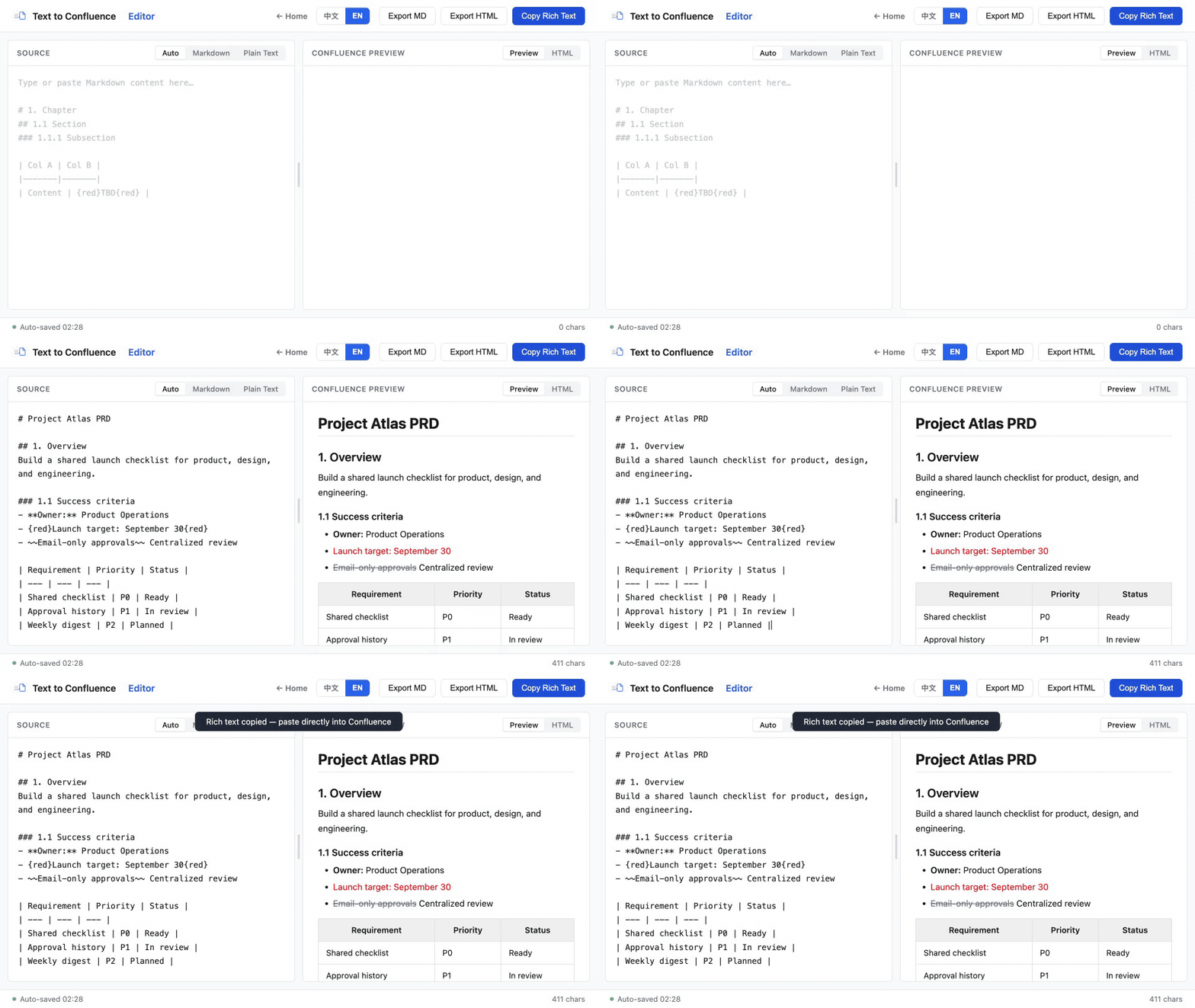
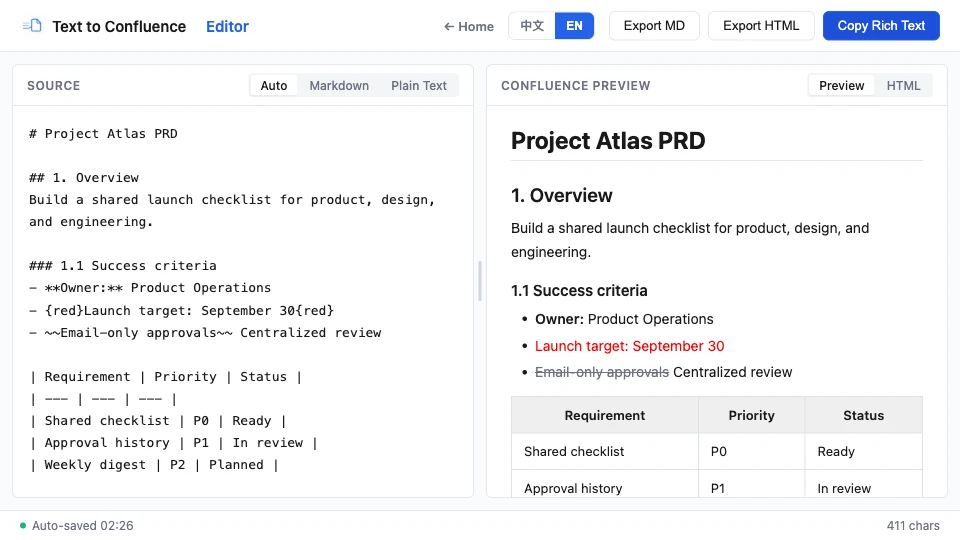
Move through one four-step loop: paste a draft, inspect the live preview, copy rich text, and publish it to your destination page.
Bring plain text, Markdown, or a copied rich-text draft into the left pane.
Check headings, tables, lists, links, and inline emphasis in the right pane.
Put the rendered HTML on your clipboard with the editor’s copy action.
Paste into the destination page and complete your normal team review.
Grouped in a suggested reading order — pick whatever matches where you are today.
Understand the workspace, spaces, content types, and the difference between Confluence and Jira.
See how product, engineering, IT, HR, and business teams turn shared work into durable knowledge.
Bold, italic, headings, colors, code blocks, tables — plus the Markdown shortcut most guides miss.
Apply background highlights, distinguish them from text color, and keep important content accessible.
Direct paste, the /markdown command, and a free converter for tables and complex docs.
Learn supported structures, table patterns, preview checks, and privacy considerations.
Use a practical preparation, preview, copy, and review process for recurring product documents.
The workflow relies on documented Confluence formatting conventions and standard browser storage and clipboard capabilities.
| Capability | Included |
|---|---|
| Input modes | Auto, Markdown, Plain Text |
| Workflow steps | Paste, preview, copy, publish |
| Exports | HTML and Markdown |
Published · Last reviewed · By Makerming
下面按推荐阅读顺序分组——可以从任意一篇开始,也可以按分组依次读完。
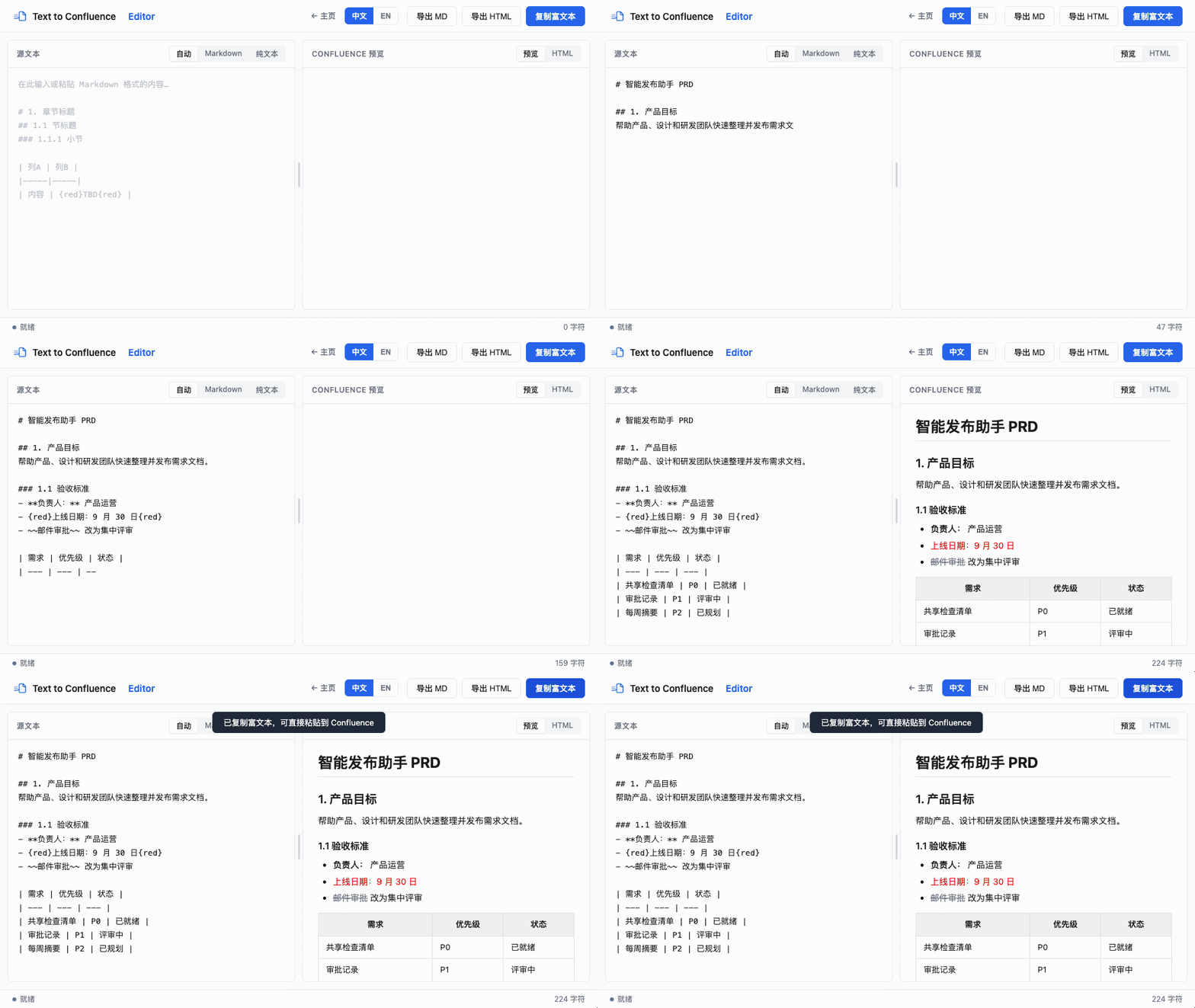
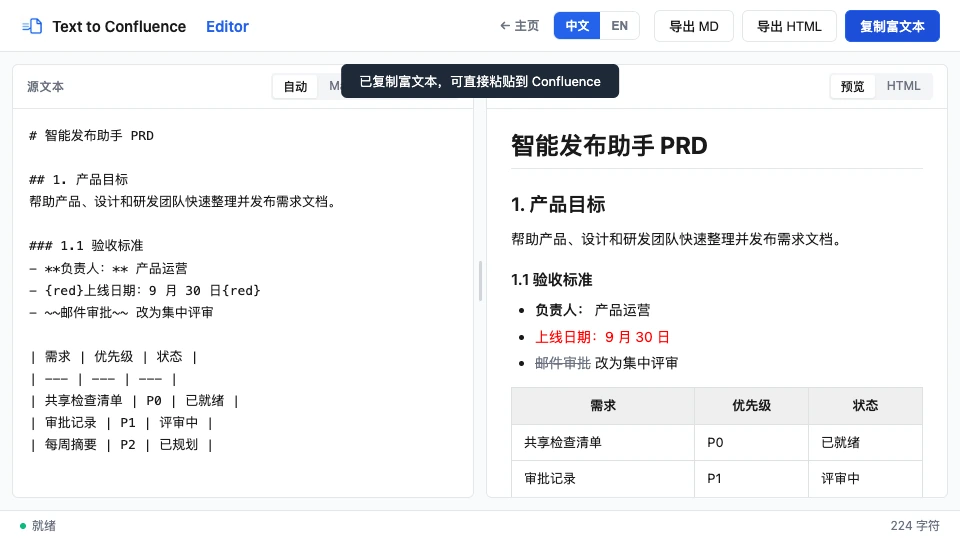
按四步完成:粘贴草稿、检查实时预览、复制富文本,然后发布到目标页面。
把纯文本、Markdown 或从知识库复制的富文本放入左侧输入区。
在右侧检查标题、表格、列表、链接和行内强调。
使用复制操作,把渲染后的 HTML 写入剪贴板。
粘贴到目标页面,再完成团队常规审核。
按推荐阅读顺序分组——从与你当前最相关的一篇开始即可。
了解工作区、空间、内容类型,以及 Confluence 与 Jira 的区别。
了解产品、研发、IT、HR 和业务团队如何把协作内容沉淀为长期知识。
直接粘贴、/markdown 命令,以及适合表格和复杂文档的免费转换器。
了解支持的结构、表格写法、预览检查和隐私注意事项。
为日常产品文档建立准备、预览、复制和复查流程。
这套流程基于 Confluence 已公开的格式规则,以及浏览器标准的存储和剪贴板能力。
| 能力 | 包含内容 |
|---|---|
| 输入模式 | 自动、Markdown、纯文本 |
| 流程步骤 | 粘贴、预览、复制、发布 |
| 导出格式 | HTML 和 Markdown |
发布于 · 最近复核 · 作者 Makerming